
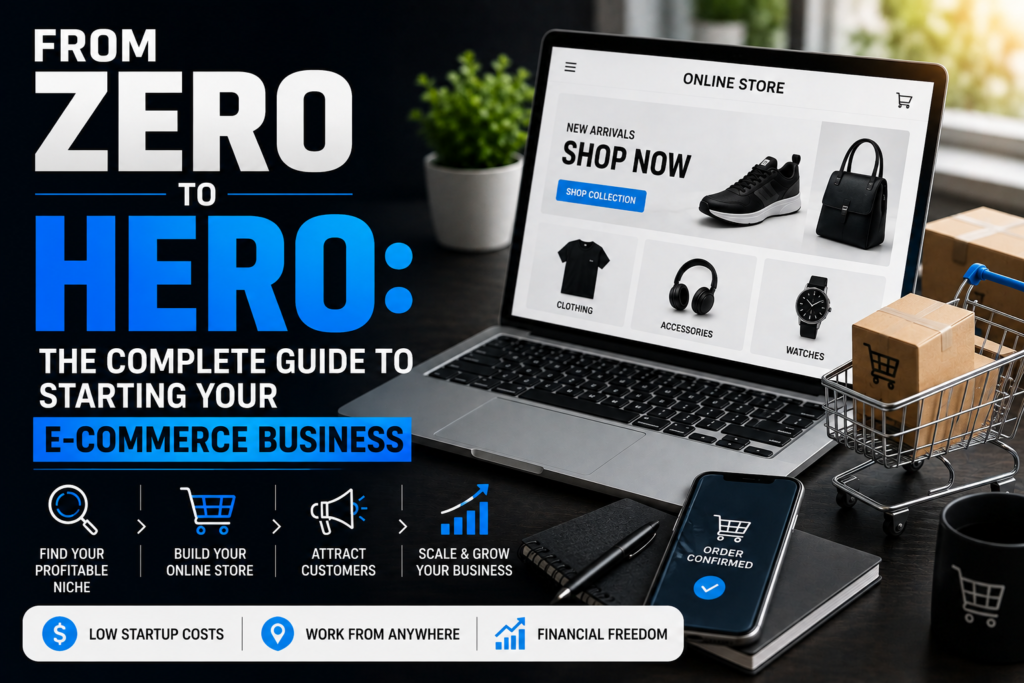
Introduction
Starting an e-commerce business has never been more accessible, yet the competition has also never been fiercer. Whether you’re looking to escape the 9-to-5 grind, build a side hustle, or create a full-scale online empire, this comprehensive guide will walk you through every step of launching a successful e-commerce store from absolute scratch.
By the end of this article, you’ll understand the entire journey—from finding your niche to making your first sale and scaling beyond.
Chapter 1: Planning Your E-Commerce Business
1.1 Understanding the E-Commerce Landscape
Before diving in, it’s crucial to understand what you’re getting into:
- Global e-commerce sales are projected to exceed $6 trillion annually
- Low barrier to entry means high competition
- Success requires strategy, persistence, and continuous learning
- Multiple business models exist (dropshipping, private label, wholesale, handmade, digital products)
1.2 Choosing Your Business Model
Dropshipping
- Pros: Low startup costs, no inventory management, easy to test products
- Cons: Lower profit margins, less control over shipping, high competition
- Best for: Beginners with limited capital
Private Label/White Label
- Pros: Higher profit margins, brand control, product customization
- Cons: Higher initial investment, inventory risk, longer setup time
- Best for: Those with some capital and long-term vision
Wholesale/Retail Arbitrage
- Pros: Established products, predictable demand
- Cons: Requires capital for inventory, storage needs, thinner margins
- Best for: Those with storage space and inventory investment capability
Print on Demand
- Pros: No inventory, creative freedom, low risk
- Cons: Lower margins, limited product types, quality control challenges
- Best for: Artists, designers, and creatives
Digital Products
- Pros: Infinite scalability, no shipping, highest margins
- Cons: One-time creation effort, piracy concerns, specific skill requirements
- Best for: Experts, educators, and content creators
1.3 Market Research: Finding Your Niche
Don’t skip this step! Most e-commerce failures stem from poor niche selection.
Criteria for a profitable niche:
- Passionate audience: People who care deeply and spend money
- Sufficient market size: Not too broad, not too narrow
- Reasonable competition: Competitors prove market viability
- Profit margins: Aim for at least 30-40% after all costs
- Growth potential: Trending upward or stable demand
Research tools:
- Google Trends: Identify trending products and seasonal patterns
- Amazon Best Sellers: See what’s actually selling
- AliExpress Dropshipping Center: Find trending dropship products
- Facebook Audience Insights: Understand your target demographic
- Reddit/Forums: Discover pain points and desires
- Keyword research tools: SEMrush, Ahrefs, Ubersuggest for search demand
Exercise: Write down 10 potential niches, then narrow down to 3 based on:
- Your personal interest/knowledge
- Market demand (minimum 10,000 monthly searches)
- Competition level (look for gaps)
- Profit potential (minimum $20-30 profit per item)
Chapter 2: Building Your Online Store
2.1 Choosing Your E-Commerce Platform
Shopify (Most Popular)
- Pros: User-friendly, extensive app ecosystem, excellent support, all-in-one solution
- Cons: Monthly fees add up, transaction fees without Shopify Payments
- Cost: $29-299/month
- Best for: Beginners and scaling businesses
WooCommerce (WordPress Plugin)
- Pros: Full control, highly customizable, no transaction fees, one-time costs possible
- Cons: Requires technical knowledge, you handle hosting and security
- Cost: Free plugin + hosting ($10-50/month) + extensions
- Best for: Those comfortable with WordPress or wanting maximum control
BigCommerce
- Pros: No transaction fees, built-in features reduce app needs, scalable
- Cons: Steeper learning curve, sales threshold limits on plans
- Cost: $29-299/month
- Best for: Rapidly growing businesses
Wix E-Commerce
- Pros: Beautiful templates, drag-and-drop simplicity, affordable
- Cons: Less scalable, fewer integrations, limited customization
- Cost: $27-159/month
- Best for: Very small businesses or beginners prioritizing design
Recommendation for beginners: Start with Shopify. It offers the best balance of ease, features, and scalability.
2.2 Setting Up Your Shopify Store (Step-by-Step)
Step 1: Sign Up
- Go to Shopify.com
- Start free trial (no credit card required initially)
- Enter your email and create password
- Answer setup questions (skip if you’re unsure)
Step 2: Basic Settings
- Store name: Choose carefully (changing later affects branding)
- Store address: Required for tax calculations (use your real address)
- Currency: Based on primary target market
- Time zone: Set correctly for analytics
Step 3: Choose a Theme
- Navigate to Online Store > Themes
- Free themes: Dawn (modern), Craft (minimalist), Sense (elegant)
- Paid themes: $180-350 (wait until profitable unless you have budget)
- Customize: Click “Customize” to enter visual editor
Step 4: Essential Pages
Create these pages (Online Store > Pages):
- About Us: Your story, mission, why customers should trust you
- Contact: Email, contact form, response time expectations
- Shipping Policy: Timeframes, costs, international options
- Return/Refund Policy: Clear terms (30-day minimum recommended)
- Privacy Policy: Use Shopify’s generator as starting point
- Terms of Service: Legal protection for your business
- FAQ: Address common concerns before they become objections
2.3 Domain Name and Branding
Choosing a domain name:
- Keep it short: 6-14 characters ideal
- Make it memorable: Easy to spell and pronounce
- Avoid numbers/hyphens: Creates confusion
- Consider keywords: Helps with SEO but don’t force it
- Check trademark: Avoid legal issues (USPTO.gov)
- Check social media: Ensure handles are available
Where to buy:
- Shopify (convenient but slightly more expensive)
- Namecheap (affordable, good service)
- Google Domains (simple, trustworthy)
- Cost: $10-20/year typically
Brand elements to develop:
- Logo: Use Canva (free), hire on Fiverr ($20-50), or use Shopify’s logo maker
- Color scheme: 2-3 primary colors that reflect your brand personality
- Typography: Choose 2 fonts (one for headings, one for body)
- Brand voice: Friendly? Professional? Edgy? Stay consistent
Chapter 3: Product Sourcing and Setup
3.1 Finding Suppliers
For Dropshipping:
- AliExpress: Largest variety, easy to start, longer shipping
- Spocket: US/EU suppliers, faster shipping, higher costs
- CJ Dropshipping: Good middle ground, product sourcing help
- Oberlo/DSers: Integration apps for Shopify
Supplier evaluation checklist:
- ✓ Order samples first (always!)
- ✓ Check reviews and ratings
- ✓ Test communication response time
- ✓ Verify shipping times
- ✓ Confirm return/defect policies
- ✓ Ask about customization options
For Private Label:
- Alibaba: Bulk manufacturing, minimum order quantities
- ThomasNet: US-based manufacturers
- Local manufacturers: Better communication, higher costs
- Trade shows: Build relationships, see products in person
Negotiation tips:
- Request quotes from 5-10 suppliers
- Ask about MOQ (Minimum Order Quantity) flexibility
- Inquire about sample costs (often negotiable)
- Discuss payment terms (avoid 100% upfront with new suppliers)
- Request product certifications if applicable
3.2 Creating Product Listings
Product photography:
- High resolution: Minimum 2048×2048 pixels
- Multiple angles: 5-8 images showing all details
- Lifestyle shots: Show product in use/context
- Infographics: Highlight key features and dimensions
- Consistent style: Same background, lighting for all products
DIY photography setup ($50-100):
- White poster board or backdrop
- Natural window light or two desk lamps
- Smartphone camera (often sufficient)
- Free editing: Canva, Pixlr, or mobile apps
Product titles:
- Front-load keywords: “Wireless Bluetooth Headphones – Noise Cancelling…”
- Include key features: Size, color, material, main benefit
- Keep under 60 characters for SEO
- Make scannable: Use proper capitalization
Product descriptions that convert:
textHOOK (Problem/Desire):
Tired of tangled wires during your workout?

BENEFITS (Not features):
Experience true freedom with our wireless earbuds that stay secure during
even the most intense training sessions.

FEATURES (With benefit explanation):
• 12-Hour Battery Life - Power through your entire day without recharging
• IPX7 Waterproof - Sweat and rain won't stop your music
• Secure Fit Design - Tested by athletes, stays in place no matter what

TRUST BUILDERS:
✓ 30-Day Money-Back Guarantee
✓ 12-Month Warranty
✓ Free Shipping on Orders Over $50

CALL TO ACTION:
Add to cart now and transform your workout experience.
Pricing strategy:
- Calculate all costs: Product + shipping + fees + returns + advertising
- Minimum markup: 2.5x costs (keystone pricing)
- Competitive research: Price check 5 competitors
- Psychological pricing: $29.97 converts better than $30
- Tiered options: Good, better, best encourages upsells
3.3 Inventory Management
For dropshipping:
- Use automation apps (DSers, AutoDS)
- Set up stock level alerts
- Have backup suppliers for bestsellers
For inventory-based models:
- Start with small quantities (test demand)
- Use spreadsheets or apps (Inventory Source, Stocky)
- Reorder when reaching 30% of stock
- Calculate turnover rate monthly
Chapter 4: Store Optimization
4.1 User Experience (UX) Best Practices
Homepage essentials:
- Clear value proposition (within 3 seconds, visitors should know what you offer)
- High-quality hero image or video
- Featured products or collections
- Trust indicators (reviews, media mentions, guarantees)
- Newsletter signup with incentive
- Clear navigation menu
Navigation structure:
textHome
├── Shop (or Products)
│   ├── Category 1
│   ├── Category 2
│   └── Best Sellers
├── About Us
├── Blog (add later for SEO)
└── Contact
Mobile optimization (60%+ of traffic will be mobile):
- Test on multiple devices
- Ensure buttons are finger-friendly (minimum 44×44 pixels)
- Simplify forms (fewer fields = more conversions)
- Fast loading times (under 3 seconds)
Speed optimization:
- Compress images (TinyPNG, Shopify’s built-in compression)
- Limit apps (each adds loading time)
- Use lazy loading for images
- Choose lightweight themes
- Test with Google PageSpeed Insights
4.2 Conversion Rate Optimization (CRO)
Trust signals to include:
- Customer reviews (add app like Loox, Judge.me)
- Security badges (SSL, payment icons)
- Money-back guarantee (30 days minimum)
- Contact information prominently displayed
- Professional email address (@yourstore.com, not Gmail)
- “As seen in” media logos (when applicable)
Checkout optimization:
- Enable guest checkout (don’t force account creation)
- Multiple payment options (credit cards, PayPal, Shop Pay)
- Progress indicator for multi-step checkouts
- Trust badges near payment button
- Discount code field (but don’t overemphasize)
- Clear shipping costs upfront (surprise fees kill conversions)
Abandoned cart recovery:
- Set up email sequence:
- Email 1: 1 hour after abandonment (reminder)
- Email 2: 24 hours after (social proof)
- Email 3: 3 days after (discount offer)
- Use apps: Klaviyo, Abandonment Protector
- Expected recovery: 5-15% of abandoned carts